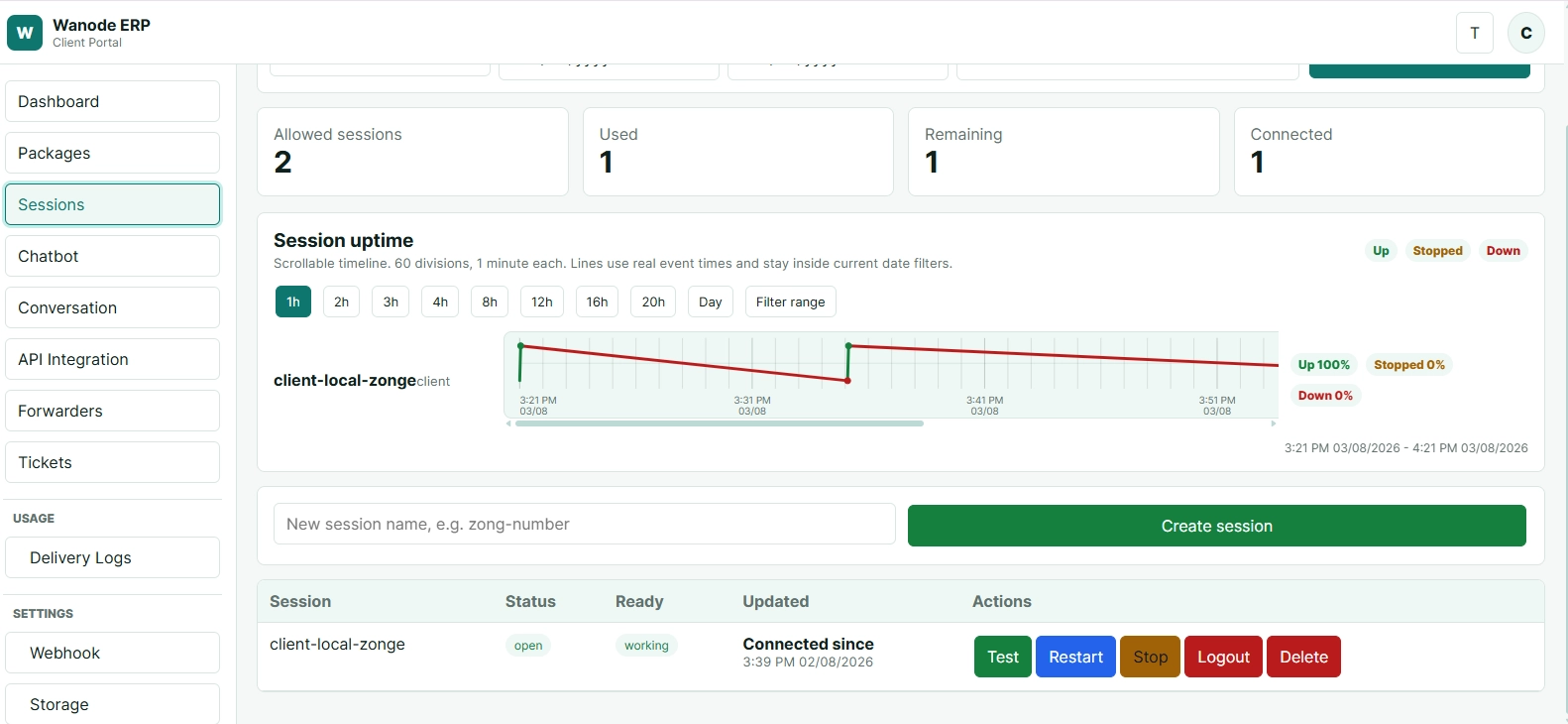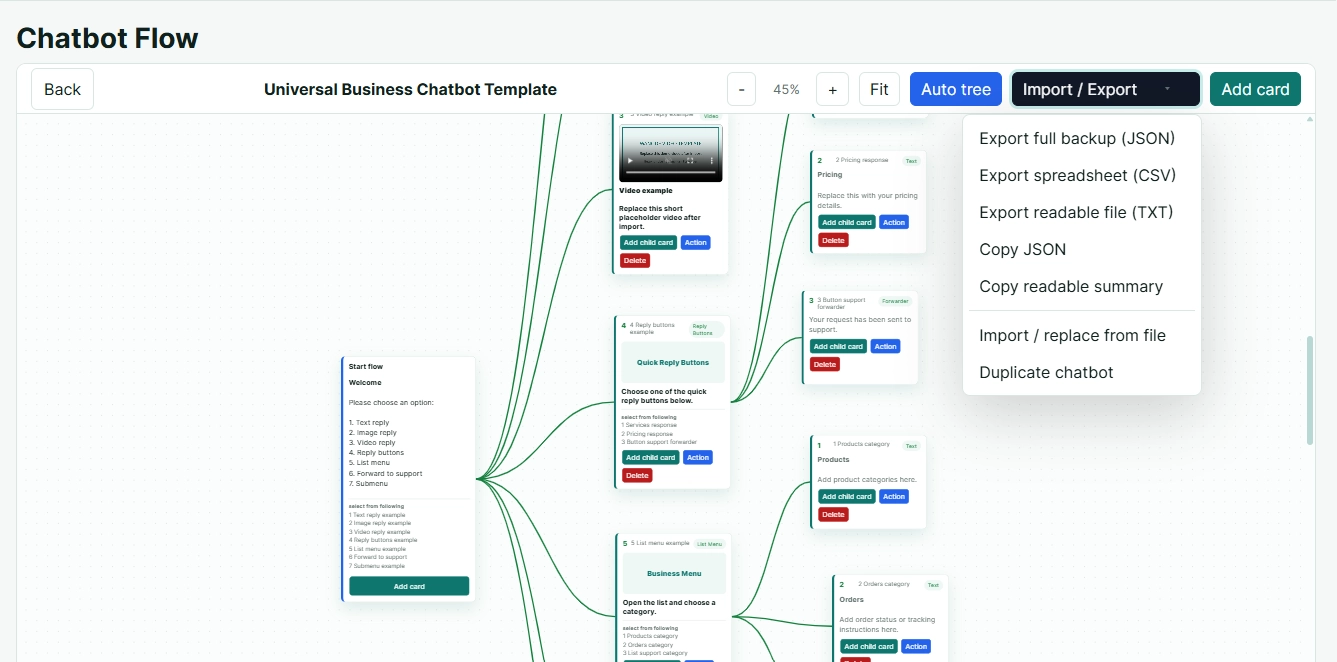
Build visual chatbots, manage sessions and offer controlled API access.
Wanode brings chatbot flows, WhatsApp sessions, package-based APIs and webhooks into one clear workspace for service providers and business teams.
Simple tools for real WhatsApp workflows.
No confusing setup pages. Each area is focused on the task your team or client needs to complete.
Build chatbot flows
Create multiple visual chatbot trees with replies, media, buttons and list options.
Manage sessions
Connect and review WhatsApp sessions from one controlled workspace.
Offer API access
Let package settings decide which API groups a client can use.
Control webhooks
Assign webhook capacity according to the purchased package and session limits.
See the conversation before it goes live.
Create parent and child cards, test flows, attach replies and keep the full customer journey easy to understand.
Watch the chatbot respond on a real chat screen.
Show customers how messages, buttons, lists and automated replies appear during an actual mobile conversation.
Choose the access your workflow needs.
Select a package, adjust available add-ons and continue securely.
Chatbot Package
Build and automate WhatsApp chatbots
- π± 1 WhatsApp Session
- π 0 Webhooks Included
- π€ Advance Chatbot Builder
- π³ Tree-Based Chatbot Creation
- π Card & Multi-Card Messages
- βͺοΈ Message Forwarding
- π Masked Number Forwarding
- π« Forwarder Support by Ticket, Issue or Order Number
- π¬ Customer & Ticket Chat Preview
- ποΈ Conversation History for 1 Week
- π WhatsApp Interactive Buttons
- π WhatsApp Interactive Lists
- πΌοΈ Support for Text, Image, Video, Audio, Document & Location
- π₯ Chatbot Import from JSON, CSV or TXT
- π€ Chatbot Export in JSON, CSV or TXT
- ποΈ Store Multiple Chatbots
- π Instantly Switch Chatbots Without Losing Previous Data
- π Connect Chatbot with Your Own Software via Webhook
- π οΈ Chatbot Creation & Integration Support
- ποΈ 3 Templates Included
API Package
Connect WhatsApp with your software
- π± 1 WhatsApp Session
- π 0 Webhooks Included
- π Secure Session API
- π¬ Messaging API
- πΌοΈ Media API
- π₯ Group API
- π’ Channel API
- π€ Profile API
- π Contact API
- π’ Presence API
- π WhatsApp Status API
- π¨οΈ Chat API
- ποΈ Conversation History for 1 Week
- π§ͺ API Testing Directly Inside the Portal
- π API Documentation & Integration Guidance
- π οΈ API Integration Support
Super Package
Complete chatbot and API solution
- π± 1 WhatsApp Sessions
- π 0 Webhooks Included
- π€ All Chatbot Package Features
- βοΈ All API Package Features
- π³ Advanced Chatbot Builder
- π WhatsApp Buttons & Lists
- πΌοΈ Complete Media Support
- π₯ Chatbot Import & Export
- ποΈ Multiple Chatbot Management
- π Instant Chatbot Switching
- π Webhook & Custom Software Integration
- π§ͺ Built-in API Testing
- ποΈ Conversation History for 1 Week
- π οΈ Complete Setup & Integration Support
- ποΈ 5 Templates Included
- π 24/7 Technical Support
Reseller partnership
Reseller plans are prepared manually for now. Contact Wanode and we will share partnership details, pricing and onboarding options.

Chatbot tree
Design structured replies and switch between multiple bots.

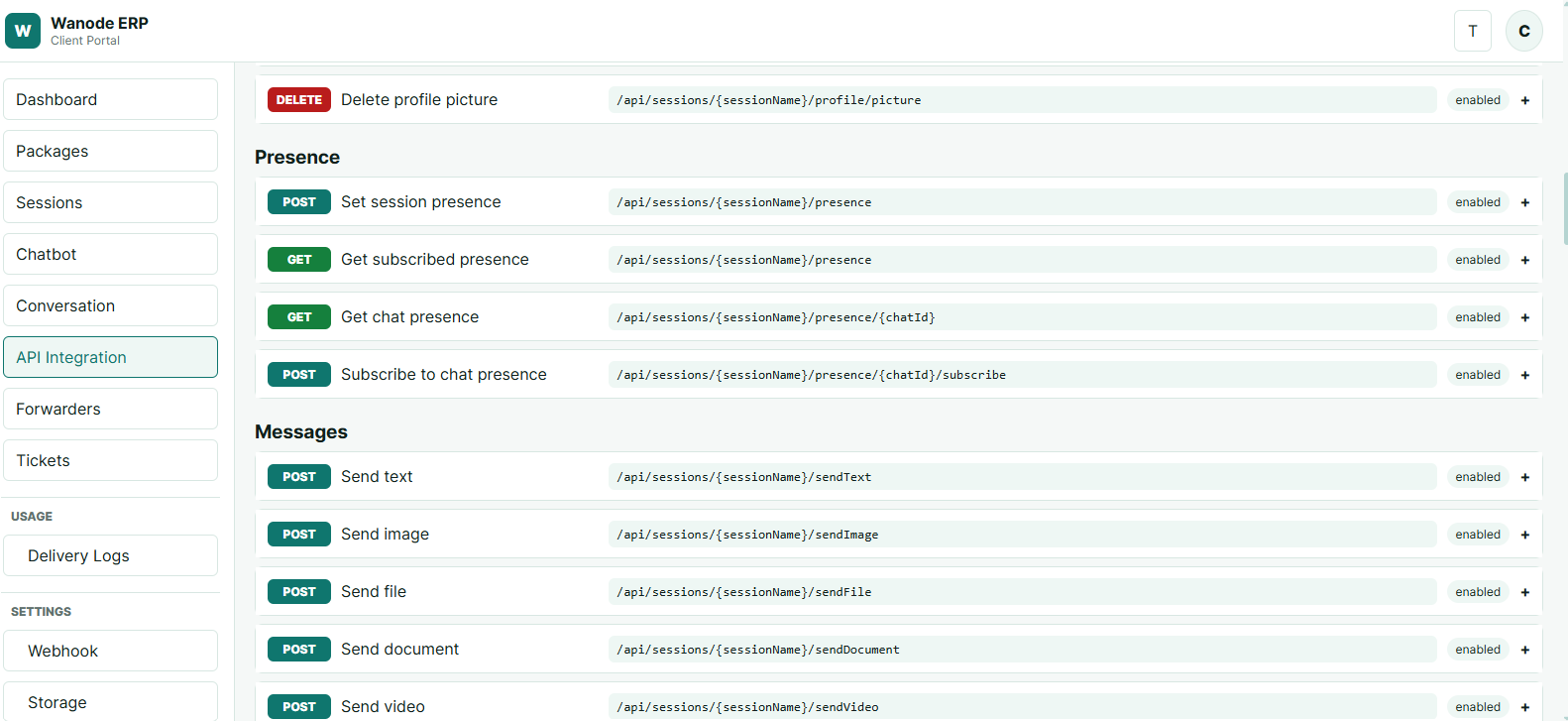
API testing
Show developers clear API groups and package access.

Sessions
Keep connected numbers and session status visible.
Built for authorized business communication, not bulk outreach.
Authorized conversations
- Contact only customers who expect your message.
- Use clear business identity and relevant content.
- Respect opt-out and customer preferences.
Avoid risky activity
- No bulk outreach or unsolicited marketing.
- No spam, misleading links or repeated unwanted messages.
- Avoid sudden high-volume activity on new numbers.
Protect your number
- Use an established business number responsibly.
- Keep message frequency natural and relevant.
- Maintain backups of important business information.
Third-party platform risk
- Restrictions, logout or bans remain possible.
- Wanode cannot control Meta or WhatsApp decisions.
- Responsible use may reduce risk but cannot remove it.
Discuss your package or activation.
Our support details are available for billing, activation and technical questions.